![BH_Asset 06_Linear-ALT.png]](https://guides.bridgehaul.com/hs-fs/hubfs/BH_Asset%2006_Linear-ALT.png?height=40&name=BH_Asset%2006_Linear-ALT.png)
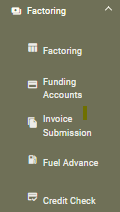
To get started, navigate to the Factoring tab and click "Funding Accounts".
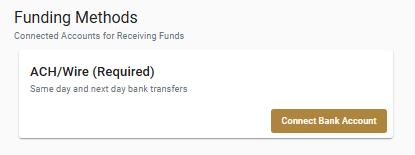
You will first start by connecting your bank account for ACH deposits by clicking "Connect Bank Account"
This opens a quick verification step where you can securely connect your bank account through Plaid.
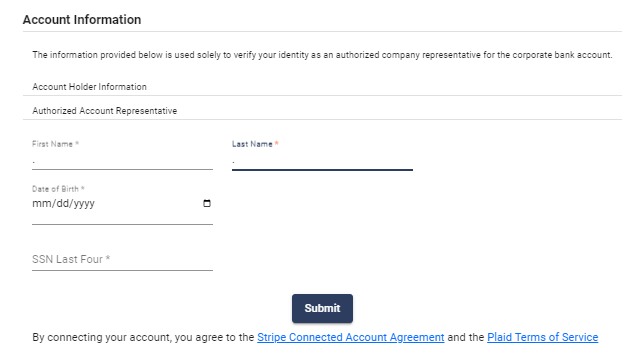
Fill in the required fields and click Submit. This will then redirect you to PLAID to connect your desired account.
**Note:** If your banking institution is a credit union, you will not be able to connect through Plaid. Instead, email a voided check to underwriting@bridgehaul.com for a manual bank account connection*
Once complete, you will see that your account is now successfully connected for ACH.
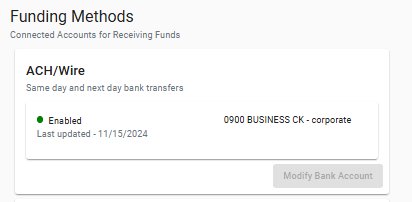
Now that ACH is connected you will see our other funding methods appear for connection.
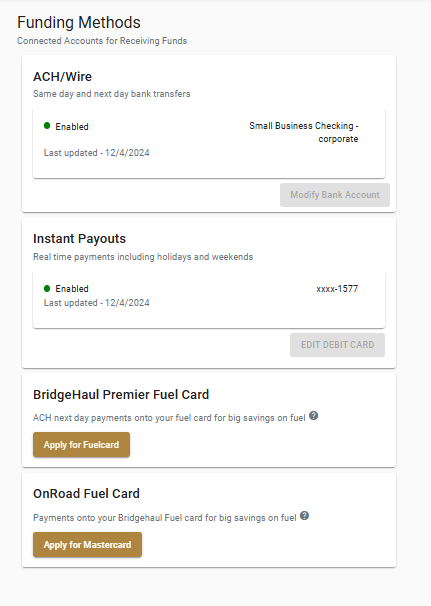
There are 4 payment types: ACH, Instant Payout, BridgeHaul Premier Fuel Card, and On Road Fuel Card.
- Instant Payouts- Deposits made thru your debit card. (click "add debit card" in funding methods to connect this option)
- ACH- Deposits made thru your bank account.
- Fuel Card/OnRoad Fuel Card- Deposits made thru your fuel card.
How to Modify a connected account.
Instant Pay
To change your Instant Payouts account click "Edit Debit Card".
You will have to enter in authorized account representative information:
- First & Last name
- Date Of Birth
- Card Number - Expiration Date- Security Code
Click "Confirm Changes" when the information above has been completed.
ACH
To change your bank account, click "Modify Bank Account."
You will have to enter in authorized account representative information:
- First & Last name
- Date Of Birth
- Last 4 digits of the SSN.
Once you click "Submit", you will be directed to your online banking account to select the account you wish to update.