![BH_Asset 06_Linear-ALT.png]](https://guides.bridgehaul.com/hs-fs/hubfs/BH_Asset%2006_Linear-ALT.png?height=40&name=BH_Asset%2006_Linear-ALT.png)
Finding Fuel Near Your Current Location
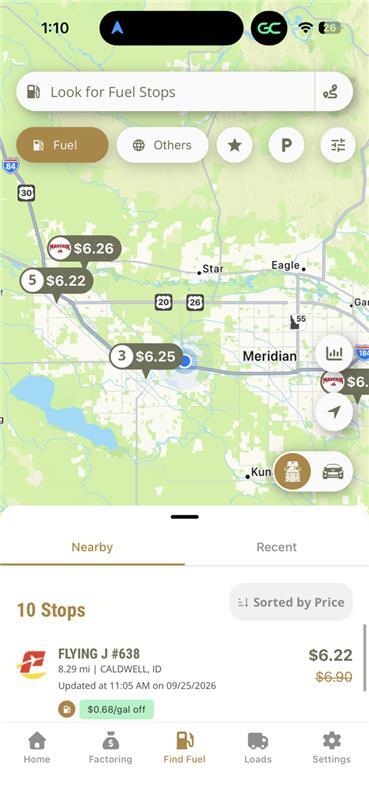
When you open Find Fuel, the app will use your current location to display nearby fuel stops.
Important: You must have your device's location services enabled for the app to show fuel locations closest to you.
From the map, you can view available fuel stops based on your current location.
Viewing Diesel and Gas Prices
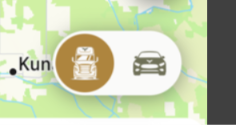
You can switch between Diesel and Gas prices using the toggle located in the bottom-right corner of the map. This allows you to quickly compare the applicable fuel prices based on the type of fuel you need.
Filtering Fuel Locations
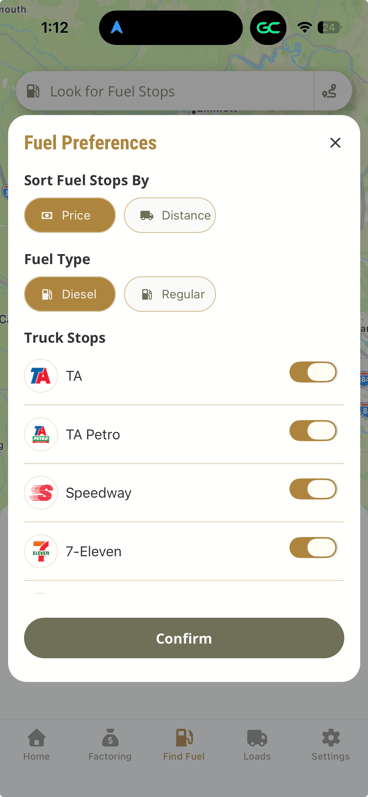
The Filter button in the top-right corner of the map can help you narrow down your options and pinpoint the best available fuel locations for your needs.
You can use the available filters to:
- View the most common fuel stations.
- Narrow down your fuel options.
Finding Fuel Along Your Route
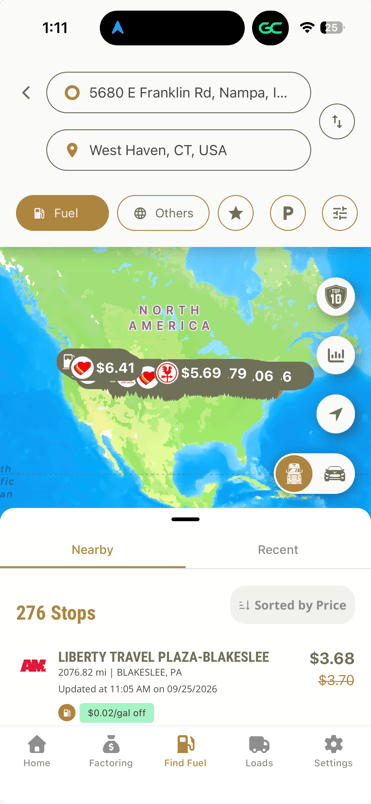
To find fuel stops between your starting point and destination:
- Select the filter next to the top search bar.
- Enter your origin.
- Enter your destination.
- The app will map your route and display available fuel locations along the way.
Why Don't I See Every Fuel Station?
The BridgeHaul Mobile App is specifically designed to show fuel locations where you have an available discount.
Because of this, you may not see every fuel station in your area or along your route. The goal is to help direct you to locations that provide value through your BridgeHaul fuel program rather than sending you to locations where you may not receive a discount.
If there is a fuel location you expected to see but it is not appearing in the app, please contact our Fuel Support Team. We can take a deeper look at the location and determine whether it should be available to you.
Important: Use the High-Flow Diesel Lanes
When fueling, always use the high-flow diesel lanes whenever possible.
Using the high-flow diesel lanes helps ensure that your card transaction is processed through the Comdata network.
If your card is processed as a Mastercard transaction instead of through the Comdata network, you will not receive the applicable fuel discount.
Best Practice
When fueling:
- Use the high-flow diesel lanes whenever available.
- Follow the prompts that route the transaction through the Comdata network.
- Review your receipt to ensure the transaction was processed correctly.
- If you believe you missed a discount, contact the Fuel Support Team so we can review the transaction.
Need Help?
If you have questions about a fuel location, a missing discount, or an issue with the Find Fuel feature, please reach out to the fuel@bridgehaul.com or 470-531-2021. We are happy to take a deeper look and help determine the best next step.