![BH_Asset 06_Linear-ALT.png]](https://guides.bridgehaul.com/hs-fs/hubfs/BH_Asset%2006_Linear-ALT.png?height=40&name=BH_Asset%2006_Linear-ALT.png)
How to install the BridgeHaul driver app on Android
Follow the steps below to download and install the BridgeHaul ELD driver app from the Google Play Store on your Android device.
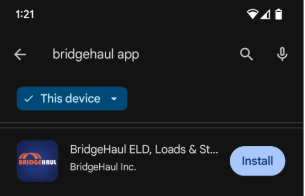
- Open the Google Play Store on your Android device, search for BridgeHaul, and tap the BridgeHaul app listing.
- Tap the Install button and wait for the download to complete.
- Tap Open once installation is complete, then grant any permissions the app requests. These permissions allow the BridgeHaul ELD to access the device features it needs — such as Bluetooth, location, and notifications — to operate properly.
Note: If you are an iOS user, download the BridgeHaul app from the Apple App Store instead.
access to the parts of your phone the ELD needs to operate properly.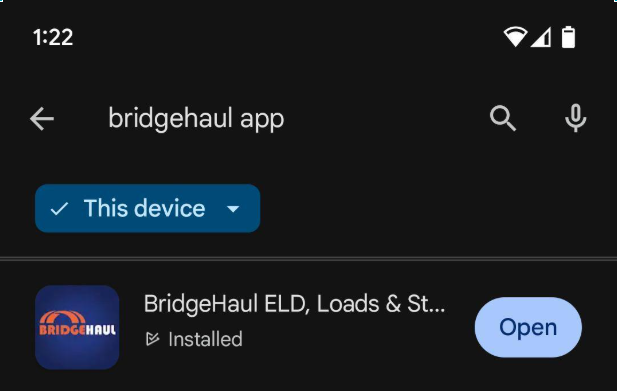
If you experience any issues with the BridgeHaul driver app, contact our support team — we're happy to help!
Email: support@bridgehaul.com
Phone: 1-800-785-6438
Thanks for choosing BridgeHaul — Haul On!
support@bridgehaul.com