![57xwpfbi.png]](https://guides.bridgehaul.com/hs-fs/hubfs/57xwpfbi.png?height=296&name=57xwpfbi.png)
To update your payment method in your BridgeHaul Shipper account, follow the steps below.
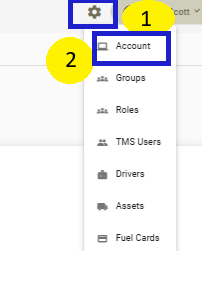
1. Select Settings
2. Select Account
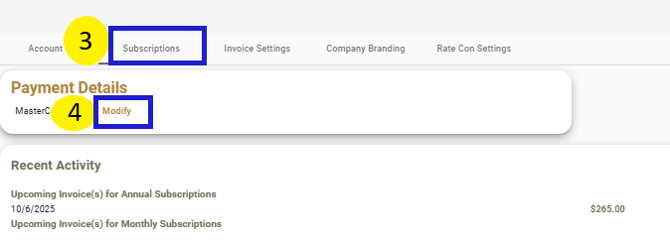
3. Select the Subscriptions tab (shown below or to jump straight to the page by clicking on the applicable link below)
4. Under Payment Details, Select Modify