![57xwpfbi.png]](https://guides.bridgehaul.com/hs-fs/hubfs/57xwpfbi.png?height=296&name=57xwpfbi.png)
1. To add a New User select the Admin tab on the left menu and then choose User Management. 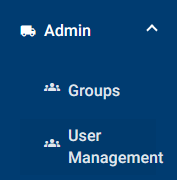
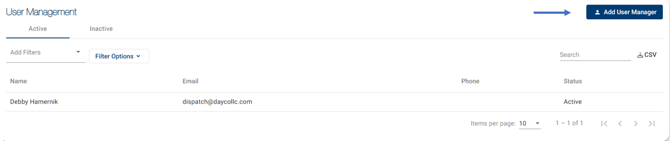
2. Click the Add User button in the upper right-hand corner of the screen.
3. Fill in the necessary information and click Submit
4. The New User will appear in the Active Users tab of the All-Users Table but will not be activated. They will receive an email at the entered email address and can follow the included link to create a password and activate the account.
5. Once the user has activated their account, they will have access to all the permissions you assigned to them.